
How to manage multiple social media accounts for a business
Manage multiple social media accounts with one owner, named roles, a naming rule and a shared calendar, and give each person their own access, not a password.
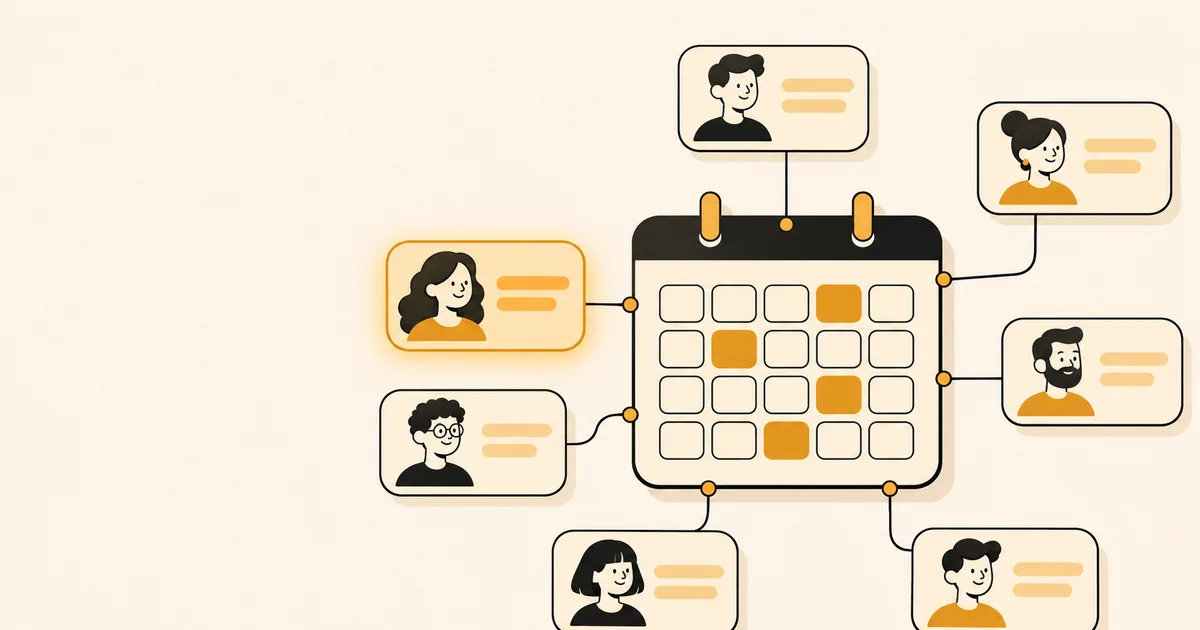
To manage multiple social media accounts for a business, keep one owner login for each platform's business tools, give teammates their own limited access instead of a shared password, name every account the same way, and plan all posts on one shared calendar. The platforms already support this: Instagram lets you switch between accounts, and both Meta and Pinterest have ways to share access with people. This guide covers the structure, the access rules and a weekly routine.
Why do online stores end up with several social media accounts?
Stores add accounts one at a time, each for a good reason, and notice the sprawl only when a post goes to the wrong place. The usual causes are a second brand, a separate product line, a different country, or a platform added later.
A candle shop might start with one Instagram account. A year later it has a second one for a wholesale line, a Facebook Page, a Pinterest profile and an account in another language for a new market. Each has its own login, followers and tone. The hard part is no longer posting. It is knowing which account a given photo, price and caption belong to.
Can you have multiple Instagram accounts, and how many can you switch between?
Yes. Instagram's Help Center explains how to add and switch between multiple Instagram profiles without logging out and back in. You can create an extra profile inside the app or add an existing account with its username and password.
The number of accounts you can stay logged in to is a place where sources disagree. Many guides, and an older version of that Help Center page, say five. The English page as we read it on 2026-11-06 says you can have up to 10 accounts logged in at one time. Limits and menu names change between app versions, so check the page before you plan around a number.
Meta says it is gradually moving people from Accounts Center to Meta Accounts, so you may see either name in settings. Its Accounts Center help describes it as the place to manage connected experiences such as logging in across your accounts. When you create a new profile in the Instagram app, you are offered the choice to add it to your Accounts Center or to give it a separate password.
Switching on a phone is fine for one person with two or three accounts. It stops working when several people post, because everyone ends up needing the same passwords.
What do Meta and Pinterest offer for teams and several brands?
Both platforms have a business layer where access is given to people, not shared as passwords. Use it before you build any process on top.
Meta Business Suite
A Meta business portfolio is where a business brings together Facebook Pages, Instagram accounts and other assets and manages who can work on them. Meta's article on business portfolio and business asset permissions describes two levels, full and partial access, and says they apply to the portfolio and to each asset in it.
- Full access is the highest level. It covers settings, people, tools and assets.
- Partial access limits a person to the assets or tasks they are assigned. Basic access is the default for people you add and lets them work only on assigned assets.
Meta's wording is not consistent across its own pages. The permissions article says "full access (formerly full control)", while the article on giving a partner access to business assets still says "full control". Both mean the top level, so do not be thrown if your menu uses either word.
For one Facebook Page, Meta's article on giving someone access to a Page lists partial access for business tools only, partial access for business tools and Facebook, or full access. Pick the smallest one that lets the person do the job.
Pinterest changed how its accounts relate. Its article on getting a business account says you can no longer link a personal account to a business account, though accounts linked earlier stay connected until you unlink them. A new business account needs an email address not already used on another Pinterest account, and at the time of writing it can be created only from a desktop device.
To give a teammate access, Pinterest uses Business Access. Its developer documentation on sharing business access describes employees, managers and partners, and says an invited person accepts before the business assigns permissions. We found no Pinterest help page that sets a number limit on business accounts, so this guide states none. If you plan several, check the current help pages first.
What is a simple structure for managing several accounts?
Use four pieces: one owner, written-down roles, a naming convention and a shared calendar. This works for one to five people and needs no special software.
- One owner per platform. A single person, usually the store owner, holds top-level access to the Meta business portfolio and the Pinterest business account. Meta's Security Center help says it is helpful to have more than one person with full control of a portfolio, so the business keeps running if one person leaves. Add a second trusted person.
- Roles written down. For every account, note who writes, who checks and who can change settings. In a small shop one person can hold all three, but writing it down shows what happens when that person is away.
- A naming convention. Use one pattern everywhere: brand, platform, purpose. "Birchwood Candles - Instagram - retail" and "Birchwood Candles - Instagram - wholesale" cannot be confused in a drop-down list, while "Birchwood 2" and "Birchwood new" can.
- One shared calendar. Every post for every account goes into one place with the account named on each entry. A spreadsheet works. A calendar in a publishing tool works better because it also holds the schedule.
Keep a short inventory in a shared document and update it when anything changes.
| Field | What to write | Why it matters |
|---|---|---|
| Brand | The store or product line | Stops one brand's offer reaching another's audience |
| Platform and handle | The exact account name | Similar names cause most wrong-account mistakes |
| Account type | Business, Creator or personal | Publishing through tools needs a professional Instagram account |
| Owner and backup | Two named people | Someone can always reconnect or recover it |
| Purpose and market | Retail, wholesale, region | Decides tone, currency and time zone |
On the account type row, Meta's Instagram content publishing documentation covers publishing to professional accounts, so scheduling tools built on it need a Business or Creator account.
How do you give people access without sharing passwords?
Give each person their own sign-in through the platform's business tools. Sharing one password is the habit that causes the most trouble later.
Take two-factor authentication. Instagram's Help Center describes it as requiring a code when someone logs in from a device Instagram does not recognize. With a shared login, that code goes to one person's phone, and every teammate has to ask that person each time. A shared login also hides who changed what, and when someone leaves the only way to cut their access is to change the password for everyone.
The safer pattern has two parts:
- People get their own access. Add each teammate to the Meta business portfolio with partial access, or to Pinterest as an employee, with the smallest permission that fits.
- Tools connect through the platform's own sign-in. When you connect an account to a publishing tool, you approve it on the platform's consent screen. The tool gets limited permission and never your password.
For freelancers and agencies, use the partner route instead of handing over a login. Meta lets a business share assets with partners at full or partial access, and only people with full control of the portfolio can do it. Pinterest's own advice for employees and agency partners is to use a professional email and their own name, not the business name.
How do you avoid posting to the wrong account?
Make the destination visible when you post and add one check just before it goes live. Wrong-account posts are rarely typos. They happen when the account is chosen from memory or by a similar name.
- Choose the destination first, then write. A caption for the wholesale audience should never be picked up with the retail account already selected.
- Look at the preview, not only the text. It shows the account name and picture, which is the fastest sanity check.
- Keep currency, time zone and language with the account. A price in dollars on a euro account is the classic cross-posting error.
- Adapt rather than copy. One product photo may suit three accounts, but the caption and link rarely do. Our guide to how often a store should post covers spacing the same idea across platforms.
If a post does go to the wrong place, delete it quickly and repost it correctly. If a scheduled post never appears, the guide on why a scheduled Instagram post did not publish covers the usual causes.
How does Creavily fit when a store has several brands?
Creavily's structure follows the problem above. A Workspace holds one or more Brands, and each Brand has Publishing Setups. A Publishing Setup is the saved set of accounts and posting defaults a brand usually uses, such as its Instagram account and Facebook Page.
In Create you choose the Setup, so the post goes to the accounts you meant. Before anything is saved or published, Creavily shows a preview and a confirmation dialog, and scheduling does not send a post early. Calendar shows scheduled posts in Week and Month views, which can serve as the shared calendar, and Publishing Activity shows what was scheduled, what went live and what needs attention.
Accounts are connected through each platform's own sign-in, so no one shares a password to publish, and Instagram needs a professional account. Instagram, Facebook Pages and Pinterest are examples of destinations; check the platform list on the product page, and read how social channels are connected. The pricing page lists proposed plan options. Creavily gives the owner, roles and naming above a place to live. It does not replace them.
How do you batch the work into a weekly routine?
Batching means doing one kind of task for all accounts at once, which is faster than working through each account separately. Aim for about an hour a week per brand as a starting point, and adjust it to your own volume.
- Monday: list what each account needs this week, starting with accounts that have a promotion or launch.
- Tuesday: write the core idea once per product, then adapt the caption for each account. Check images together so the same shot is not used everywhere on the same day.
- Wednesday: schedule everything in one sitting, brand by brand, checking the destination each time.
- Friday: confirm the posts went out and fix anything that did not.
Batch by brand when the brands have different audiences, because switching context is the costly part. Once a month, spend 20 minutes on the inventory: remove people who left, confirm the second owner still has access, and check that each account still has a clear purpose. An account with no purpose should be closed or merged. Fewer accounts, well run, beat many neglected ones.
For a safe way to involve an AI assistant in the weekly drafting, see our guide to letting ChatGPT post to Instagram safely. To set up the first Brand and its accounts, start from the get started page.
Key takeaways
- Decide the owner, roles and naming for every account before choosing tools, so any tool has something to follow.
- Use Meta business portfolio access and Pinterest Business Access to give each person their own limited sign-in instead of sharing passwords.
- Instagram's Help Center currently says up to 10 accounts can be logged in at once, while older sources say five, so check the page before relying on a number.
- Choose the destination first, check the preview and keep currency and time zone with each account to avoid wrong-account posts.
- Batch writing and scheduling by brand in one weekly session, and review the account inventory once a month.
FAQ
How many Instagram accounts can I have?
Instagram's Help Center explains how to add and switch between multiple accounts. As of 2026-11-06 its English page says you can have up to 10 accounts logged in at one time. Older guides and earlier versions of that page say five, so check the current page. The limit is about staying logged in, and the page does not describe it as a cap on the accounts you can own.
What is the easiest way to manage multiple social media accounts?
Use one calendar for all of them and give each person their own limited access. Keep an inventory with an owner and a purpose for every account, name accounts consistently, and do your writing and scheduling in one weekly session. A scheduling tool helps, but the inventory and the roles do most of the work.
Can several people manage the same social media account?
Yes, without sharing a password. Meta's business portfolio lets you assign people to Pages and Instagram accounts with full or partial access, and Pinterest Business Access lets you invite employees and partners. Each person signs in with their own login, and you can remove one person without affecting the others.
Should every brand have its own social media account?
Usually yes when the brands have different audiences, products or tone, because a separate account keeps offers and customer replies clear. If two product lines share an audience, one account is simpler. The deciding question is whether a follower of one would want the other's posts.